Good day everyone! Today I'm going to show you how you can make any web page into a quickly accessed application on your desktop, dock, or other launch panel.
Ok...let's get on with it! Ooh! Is that a rainbow I see?
Actually no. Yes...it's Prism...not the triangular glass thingy, but rather, the good folks from Mozilla have created an excellent project called Prism that allows users to create "mini-browsers" specifically set up for individual web pages.
From the
Mozilla wiki page:
Prism is a simple XULRunner based browser that hosts web applications
without the normal web browser user interface. Prism is based on a
concept called Site Specific Browsers (SSB). An SSB is an application
with an embedded browser designed to work exclusively with a single web
application. It doesn’t have the menus, toolbars and accoutrements of a
normal web browser. Some people have called it a "distraction free browser"
because none of the typical browser chrome is used. An SSB also has a
tighter integration with the OS and desktop than a typical web
application running through a web browser.
Ok...wonderful. So what? How does this help me?
Think of it this way. Perhaps you use GMail as your primary email or even Google Calendar? How about Playlist.com and the standalone music player? Prism and the Firefox add-on
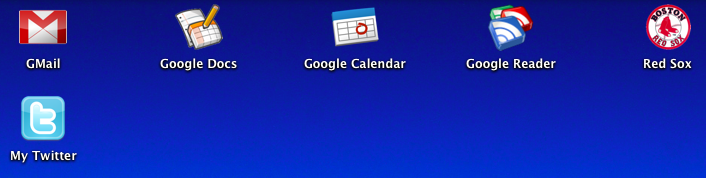
Prism for Firefox make it easy to "isolate" these web sites as "apps" so you can quickly and easily access them. In the following screenshot you can see how I've actually made several "apps" on my desktop, each of which use Prism to launch a specific web site for quick and easy access. (yes...I'm a die hard Red Sox fan too)
Pretty cool! Ok...how do I do this? Go easy on me...
Sure! It's actually pretty easy. The easiest method is to use the Prism for Firefox extension...sometimes also referred to as Prism refractor for Firefox. Use the link below to go to the installation link. Install just like any other extension and then restart Firefox. Once you have restarted, you should see a new menu item located under "Tools" that says "Convert Website to Application". Browse to the site you wish to make into an "app". In my example, I'm going to browse to www.playlist.com and go to my playlist. I'll launch the standalone Flash Player. Once the Flash player is open, I'll click
"Tools" > "Convert Website to Application". The next shot shows what that looks like:
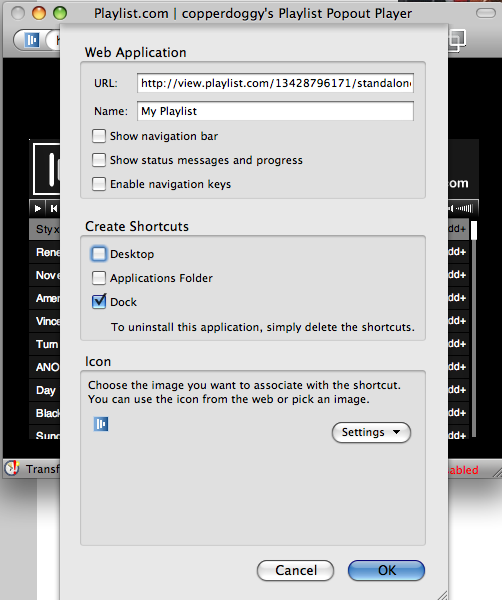
You can choose to add icons to your desktop, dock, or applications folder. NOTE: This example was created using OS X...other platforms may look a little different and have a less options. (the Linux version only offers the "desktop" option)
Dude! That's awesome! Thanks for the tip! So...what does it look like in the end?
You're welcome! Here's the shot of my playlist using Prism in all its glory!
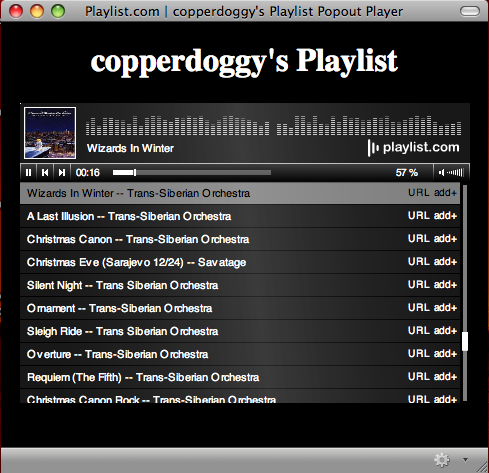
Notice the Holiday tunes! Enjoy the holiday season and let me know if and how you were able to use this tip in the comments!
Prism for Firefox :: Firefox Add-ons
Technorati Tags: Prism, Firefox, extensions, Mozilla, Playlist.com, Google Apps

 them!" Whoops! Your email provider has a 10mb limit for attachments. Dang! Now what? Hmmm...


